
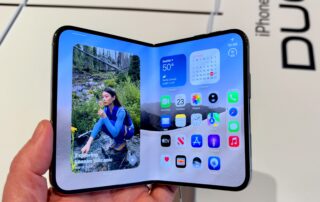
Apple Says There Are Now 100,000 Apps Built for the iPhone Duo
Apple’s first foldable, the iPhone Duo, may have come last to the foldable party, as CNET’s review noted, but it’s certainly not least. Senior reporter Abrar Al-Heeti praised it for the iOS 27 integration across both displays and its impressive durability, which has crossed 300,000 folds in our test and counting. However, as the Duo
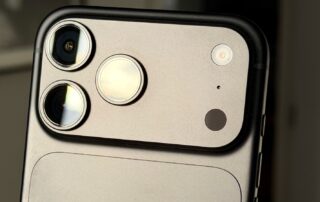
5 iPhone 18 Pro Max Features That Can Make Traveling Easier
José Adorno/BGR The iPhone 18 Pro Max has been dubbed Apple's best iPhone in reviews, even though it might not be the most revolutionary smartphone the company currently sells. With the longest battery life on an iPhone ever, pro controls for the new camera system, and an improved vapor chamber, this device is perfect for everyday use
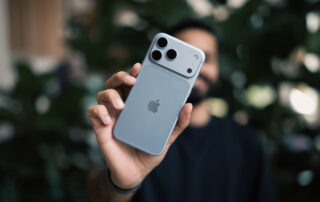
I Took the iPhone 18 Pro Max to Japan and Its New Camera System Brought Out My Creative Side
Apple gave its pro iPhones a crucial camera and battery boost this year. As a frequent traveler, these upgrades had me stoked for the iPhone 18 Pro Max, so I took it with me to Japan. Going vintage watch hunting through the streets of Tokyo to 6 a.m. hikes in Kyoto’s Fushimi Inari and the
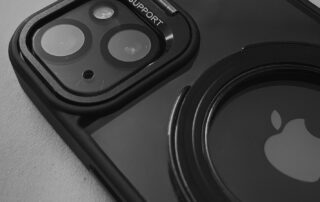
10 Handy MagSafe Accessories You Can Use With Your iPhone
Nabiha Zaman/Shutterstock We may receive a commission on purchases made from links. With MagSafe, your iPhone's back can carry a lot more than just your case. You can attach various MagSafe accessories like wallets, external storage, keyboards, controllers, and chargers, among many other peripherals. This ability opens a whole new world of possibilities without having
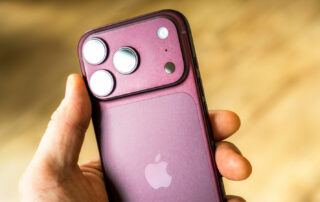
The reason why some iPhone calls don’t have a decline option, and others do
Your iPhone's incoming call screen isn't as mysterious as it seems. Georgeclerk/Getty Images At some point, everyone's been burned by their iPhone going off in the worst possible place. When you see there's no option to decline the call, it's a mad scramble to press every side button or sling the phone through a wall

iPhone Duo Just Passed 185,000 Folds in Our Fold-a-Phone Testing Machine. How Far Can It Go?
Happy November! The air is getting chillier, retailers are shifting from Halloween to the holidays, and the machine in CNET’s lab continues to test Apple’s first-ever folding phone, the $2,000 iPhone Duo. We purchased this poor phone more than a week ago, and since then its only job has been to bend and flatten, bend
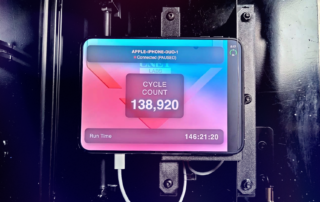
Live Now! We’ve Folded the iPhone Duo Over 140,000 Times – Watch Us Fold It Thousands More
The iPhone Duo wowed us as Apple’s first foldable phone, but it’s time to test out how its first-gen hinge holds up. We’re now testing the $1,999 iPhone Duo using our custom-made folding machine, the Fold-a-Phone, which has been diligently opening and closing the phone since we bought the Duo on Friday. We’ve already passed
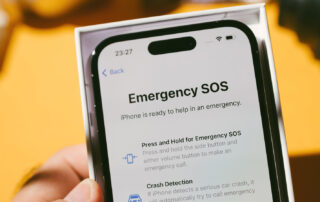
What Does The Satellite Symbol On Your iPhone’s Status Bar Mean?
boyudon/Shutterstock The iPhone has a lot of important status icons (like the four dots next to the Wi-Fi symbol) that either give users notifications or tell them about features that are turned on. Most of the icons are straight forward, but a few might be unfamiliar, particularly if they pop up during travel or in
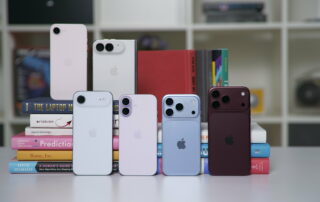
Will the iPhone Duo Fit in Your Pocket? Here’s How It Compares to Other iPhone Sizes
The iPhone Duo is designed to be compact, but that hasn’t stopped some from wondering how its size compares with other iPhone models. Fortunately, we have all the current iPhone devices on hand to show how the Duo, when folded shut, stacks up against the dimensions of everything from the iPhone Air to the iPhone
Samsung Slices at Apple’s iPhone Duo With Its Z Fold 8 Ad
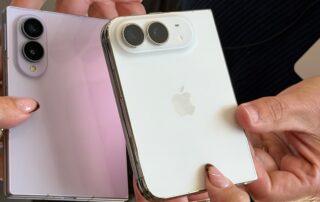
Samsung’s new Galaxy Z Fold 8 advertisement makes a direct jab at Apple’s iPhone Duo for its late arrival into the foldable phone market. In an Instagram video, Samsung’s “Slice” ad shows off an apple (the fruit, not the company) that’s chopped into pieces before one slice rolls along past the Galaxy Z Fold lineup